
Terms an conditions for offers can be customised depending on your requirements. There can be with links to policies or check boxes details for specific significant conditions that you want to draw to the attention of the person/people accepting the offer.
How to Add, Delete or Change Policy Agreement Documents
To add other checkboxes with links to "Terms and Conditions" and other important documents you can either upload the different policies in PDF format or add the link to your Policies web page.
It is recommended that all Policy Agreement documents have Version numbers, page numbers and dates, this is because these documents can be attached to the Offer Documents if switched on when the policies are uploaded.
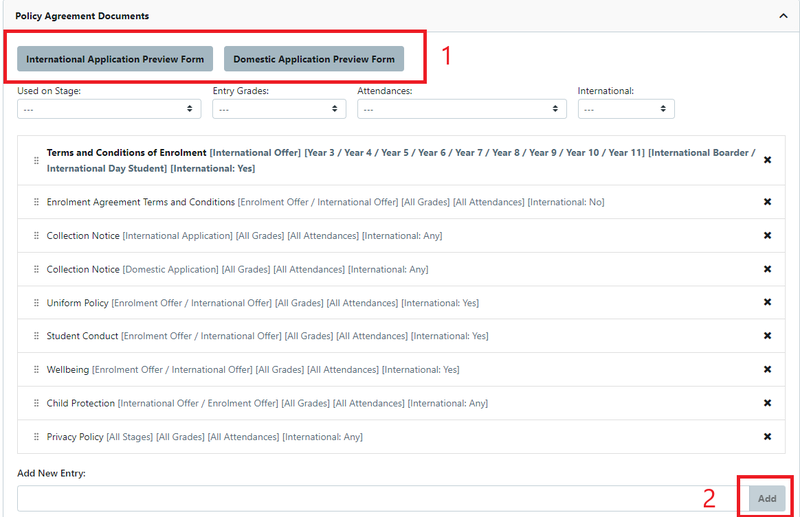
Go to Settings > Customisation > Policy Agreement Documents
These are the types of offer that are available for the school
To add additional Policy Documents:
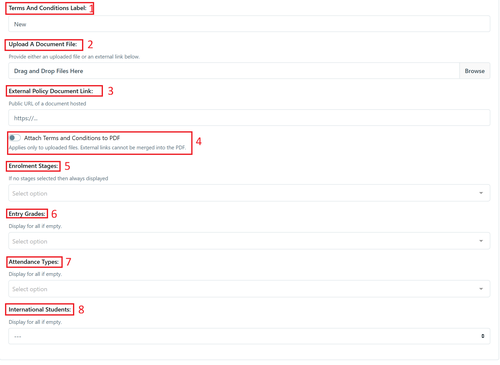
- Terms and Conditions Label: Name of the Policy
- Upload a document file: Upload the document file
- External policy document link: insert a link to the relevant URL
- Attach Terms and Conditions to PDF ( Applies only to uploaded files. External links cannot be merged into the PDF)
- Enrolment Stages: If no stages selected then always displayed
- Entry Grades: Display for all if empty
- Attendance Types: Display for all if empty
- International Students: Display for all if empty. This is a multi select field ---, Yes or No.
As always don't forget to save.
Offer - Initial Set Up Terms and Conditions
Go to Settings > Customisation > Enrolment Offer Signature Step
(you can use the same instructions for any other signature step)
Video - How to change Offer Terms and Conditions
Video - How to change Reserved Place Offer Terms and Conditions
There are a number of separate sections that you can choose to use. Default text has been added as a guide for setting up this content. There are also options for specific conditions where a parent must use a check box. Please ensure all changes are saved.
1 Enrolment Offer Acceptance Label: - This is the default, however this can be changed if required.
2 Enrolment Offer Specific Terms HTML Snippet: - The default is blank, however test can be added if required.
3 Enrolment Offer Acceptance Checkbox Items: - Additional checkboxes are added here if required. (It should be noted that these boxes cannot be reordered, make sure they are added in the order you wish parents to read.)
4 Acceptance Terms and Conditions Label: - Parent Acceptance checkbox will be hidden if this field is empty
5 Enrolment Offer Acceptance PDF Header HTML Snippet: - Leave blank to use default header
6 Attach Offer Letters HTML to Acceptance Contract: - This toggle is switched on by default.
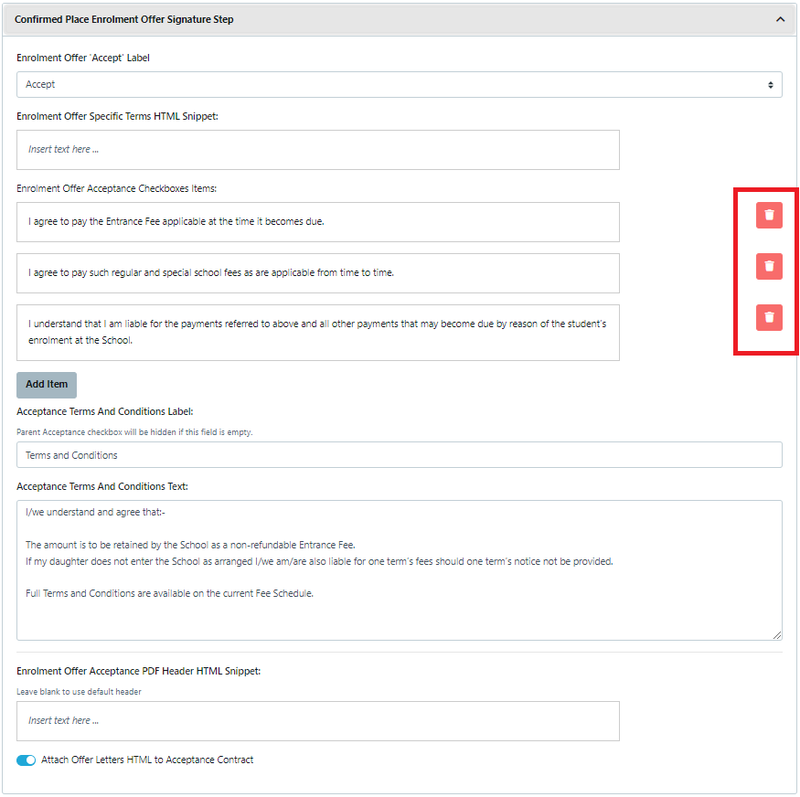
Here is a sample of a minimal Terms and Conditions setup (Note: if there is a condition that you do not want you can delete by using the red box.)
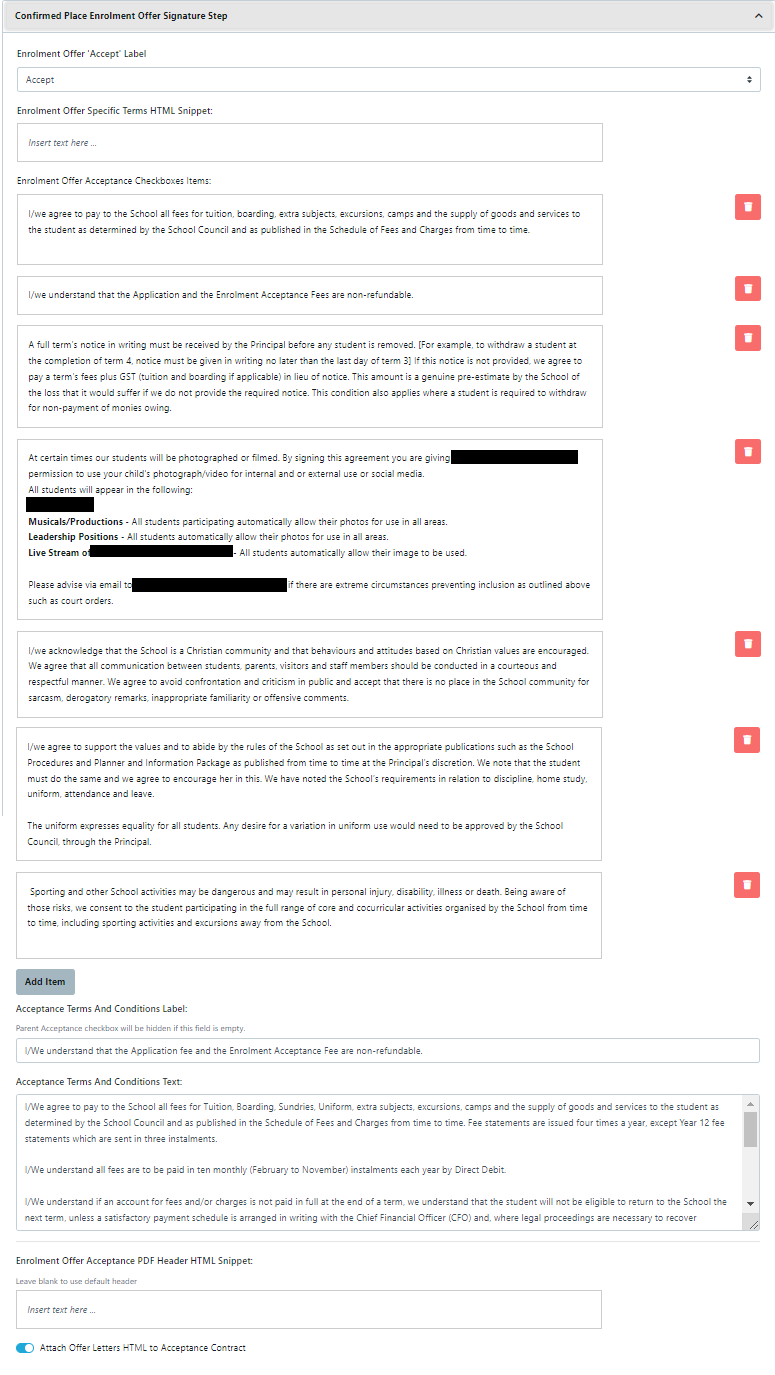
Here is a sample of more detailed Terms and Conditions setup. (school details have been hidden)
When a parent accepts an offer the Conditions setup in "Policy Agreement Documents" are also show as a checkbox prior to the conditions show above.
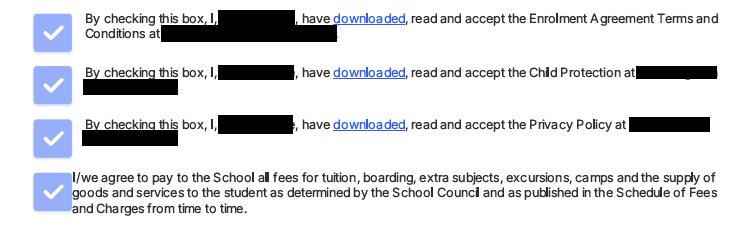
Select the Specific Terms HTML Snippet - Preview :
This allows you to preview the Offer to ensure the look and feel and details are accurate.
Terms and Conditions - Link Policies to your Website
In some instances schools are part of a larger organisation and some of the Policies and Procedures are set and Organisation level and accessed on their website.
To add a link you need to go to Settings> Customisation > Policy Agreement Documents
Use the new settings link
Option 3 is the location to link your policies from your website to the stage of the Enrolment Journey