
Here are the descriptions regards the images for the new UI
Colours and Fonts
Go to Settings > Look and Feel
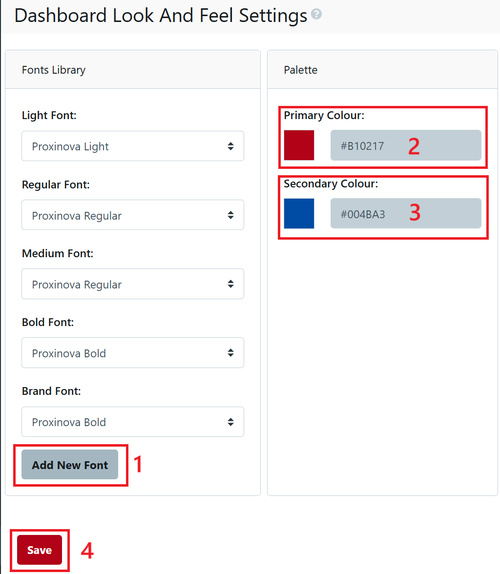
- Fonts - if you wish to add custom fonts, you will need to upload the .woff and .woff2 versions of the font file. If you need to make these versions, here is an online tool.
- Palette - add your primary and secondary colours from your style guide in hex format.
See Campuses for images and logos