
Export Custom Form responses as a csv file, or open the All Prospectives view for a list of every profile that has submitted the form.
Reviewing Custom Form Submissions
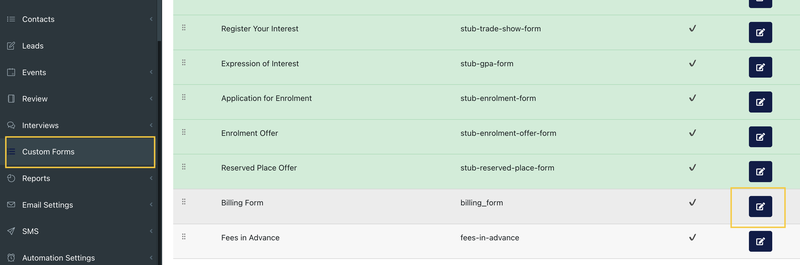
1. Go to Custom Forms.
2. Select the Edit icon beside the form.
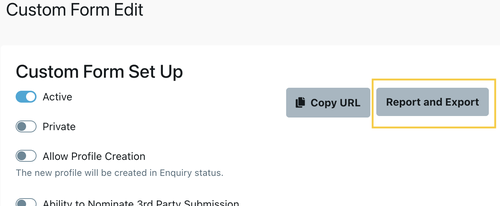
3. Select Report and Export.
Note: The Report and Export button only displays once the form has at least one submission.
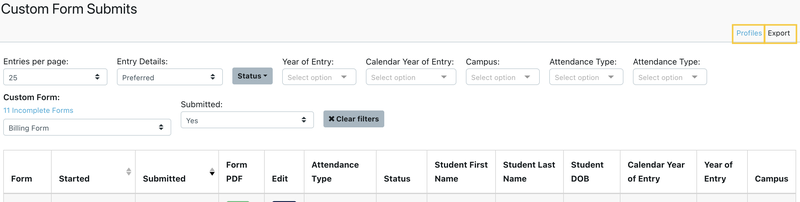
4. The Custom Form Submits page opens. There are two ways to view the submissions:
- Select Export in the top right menu of the Custom Form Submits page to download a CSV file.
- Select Profiles in the top right corner of the Custom Form Submits page. The All Prospective dashboard opens with only the profiles filtered.
Last reviewed: