Web links for email templates and websites
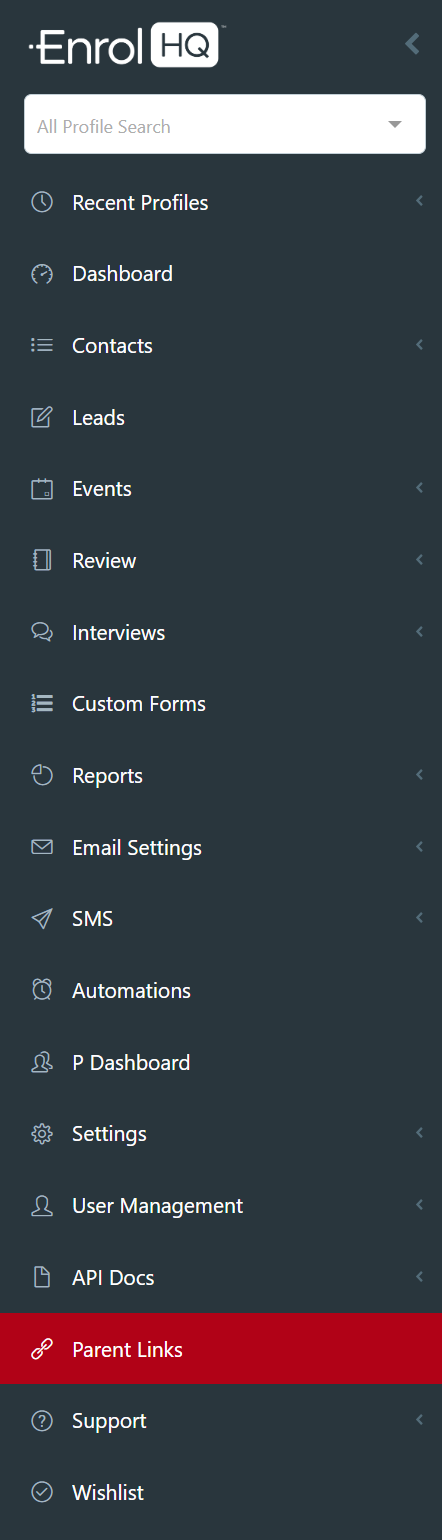
The web links to your Events page, Parent Enrolment Dashboard or Application Form etc, are all located on the main menu under Parent Links.
There are links to all the available forms. Your marketing/website coordinator can choose the option you prefer
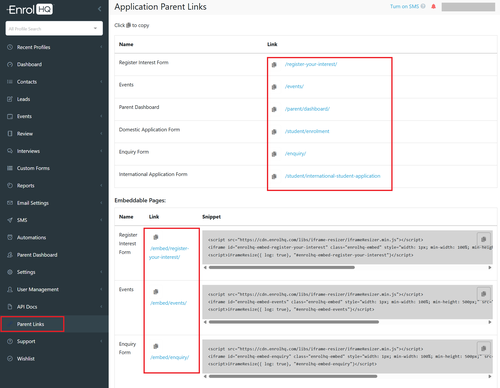
Note: There is no embed code for any Expression of Interest / Application / Custom form as these forms are designed for the Parent Dashboard.
These forms have side bar menu's and will not display on a mobile device if embedded.
Multi Campus Options for all related forms
If your school has multiple campuses and multiple pages on their website relating to the campuses you can use the customisation options here:
Multi Campus Options for Individual Event Forms
If your school has multiple campuses and multiple pages on their website relating to the campuses the follow options are available:
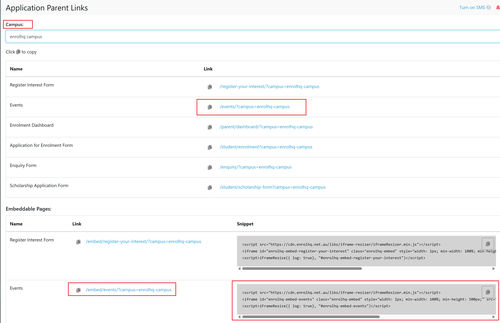
Embeddable Links for all Events this shows you where to locate the links are for all events in the different formats.
Event links by individual Events
If your school has multiple campuses and multiple pages on their website relating to the campuses the follow options are available:
Web Links, Check-in and QR code Details for Individual Events this shows how to access individual event details.
Multi Campus Options for Application Forms
If your school has multiple campuses and multiple pages on their website relating to the campuses the follow options are available:
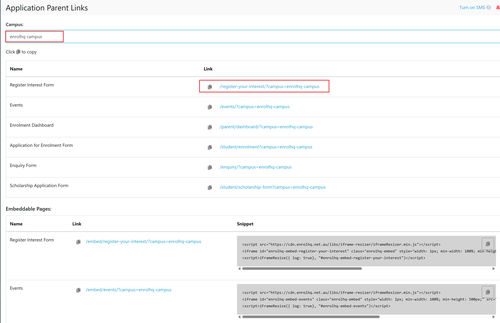
EnrolHQ allows schools with multiple campuses to use the same form with different options. To look at how a form preview's by campus please go to the Menu Parent Links
Select the Campus
All form will display the relevant links
You only need to select a Campus if you have more than one or if your forms are the same for all campuses as the default will display all your forms
The web links to your Events page, Parent Enrolment Dashboard or Application Form etc, are all located on the main menu under Parent Links.
Multi Campus Options for Custom Forms
If your school has multiple campuses and multiple pages on their website relating to the campuses the follow options are available:
EnrolHQ allows schools with specific campuses to add the campus to the URL of a Custom Form to ensure the correct details are shown in the header.
Custom Form URL/?campus=insert campus details here
https://testing.enrolhq.com.au/enquiry/?campus=enrolhq-campus
This campus link is found in Parent Links - (select the campus that you require)
The campus designation is shown at the end of the URL - for example ?campus=enrolhq-campus
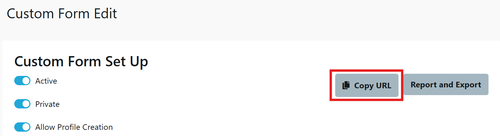
The web link (URL) for each Custom Form is located at the top of the individual custom form. - you will need to add the relevant campus designation to the custom form URL for the Campus details to be displayed correctly.